 WDCH
WDCH
🚀 iOS Shadowrocket Proxy Configuration Tutorial
Shadowrocket Chain Proxy Solution for Socks5 Static IP Overseas Configuration Full Process
Why Use a Proxy with 🌐?
In overseas business and social media operations, using a clean, dedicated IP can effectively protect privacy and prevent account risk controls. Below we will teach you how to use on iPhone Shadowrocket configure stable overseas static residential IP for safe and smooth internet access.
🛠️ Pre-Configuration Preparation
- Prepare a non-China region Apple ID(Used to download Shadowrocket on App Store).
- After purchase stable overseas static residential IP(Includes IP, port, username, and password).
- Ensure your phone has basic overseas network access (e.g., can normally open YouTube, Google).
🚀 Configuration Steps
This app has been removed from the China region App Store; please use non-China region Apple ID log in to App Store to search and download.
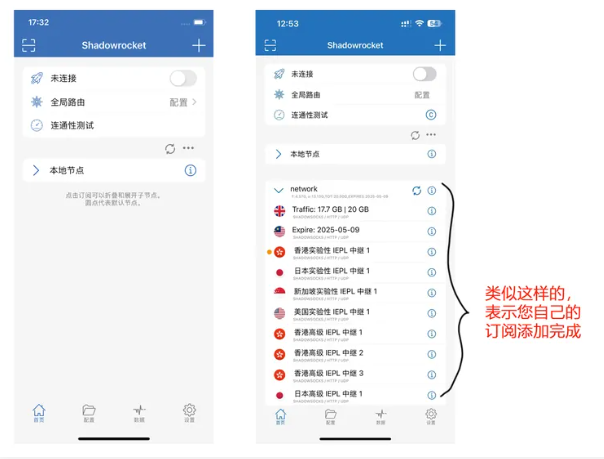
After installation, open Shadowrocket and import your own airport subscription first to ensure the basic network can connect and bypass the firewall normally.
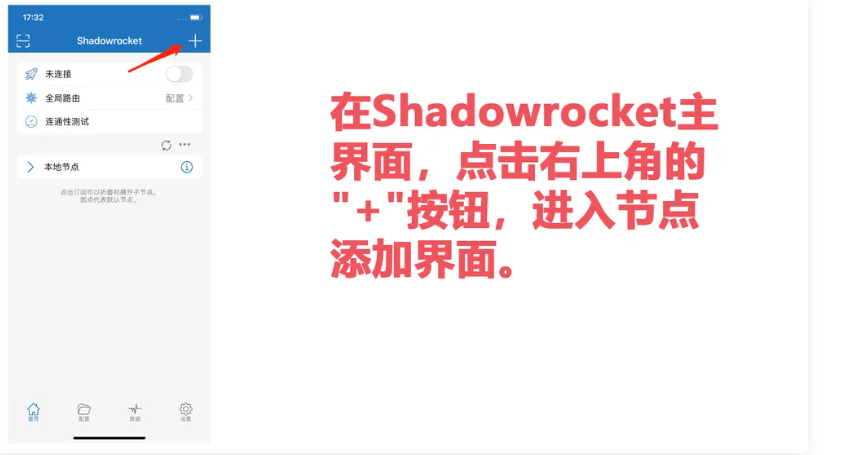
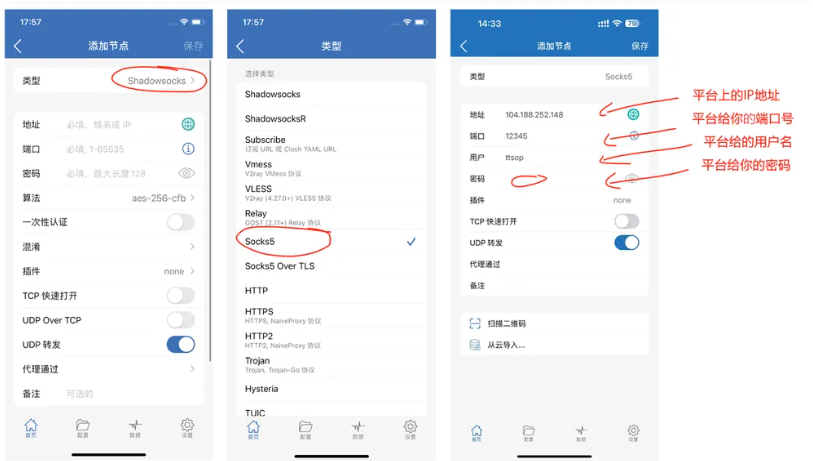
On the Shadowrocket home page, tap the top-right corner “+” button to enter the manual node addition page.
Switch the “ type ” to Socks5 and fill in the following in order Stable Overseas Access provided IP address, port, username, and password:
Port: 12345
Username: name
Password: mima
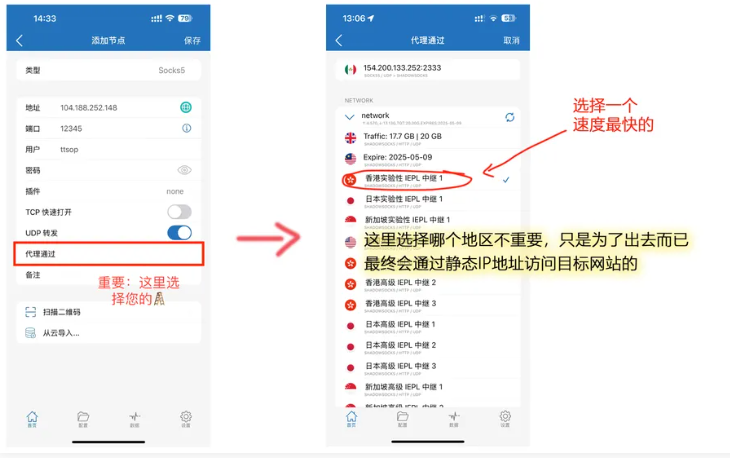
Scroll down the Socks5 node configuration page to find "Proxy Pass" (Proxy Through) Options, click to enter and select an available fast airport node (Hong Kong/Japan nodes recommended 🚄).
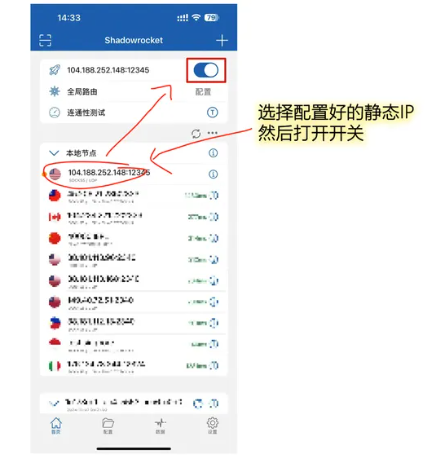
After saving the node settings, return to the Shadowrocket home screen, check the newly configured Socks5 node, and flip the top toggle to start the proxy.
🔍 Verify connection and IP status
1. Open Safari or Chrome browser and visit https://ipinfo.io/what-is-my-ip Confirm whether the IP address shown is the static residential IP you purchased.
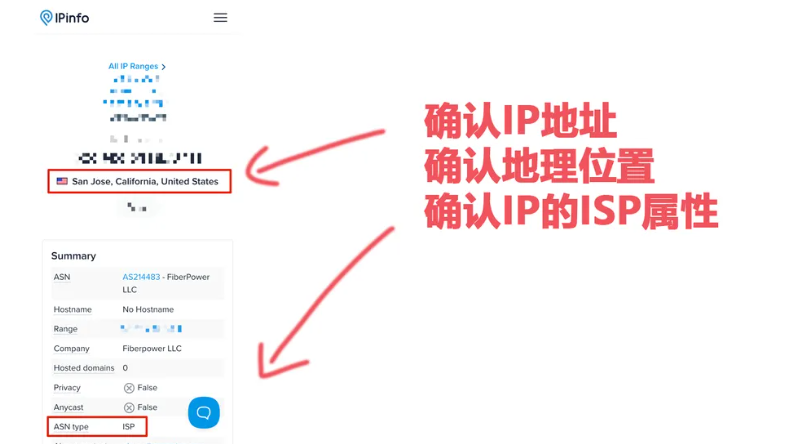
2. You can also visit http://ip.ping0.cc/ Query IP purity score、ISP residential type as well as Whether it is a native IP。
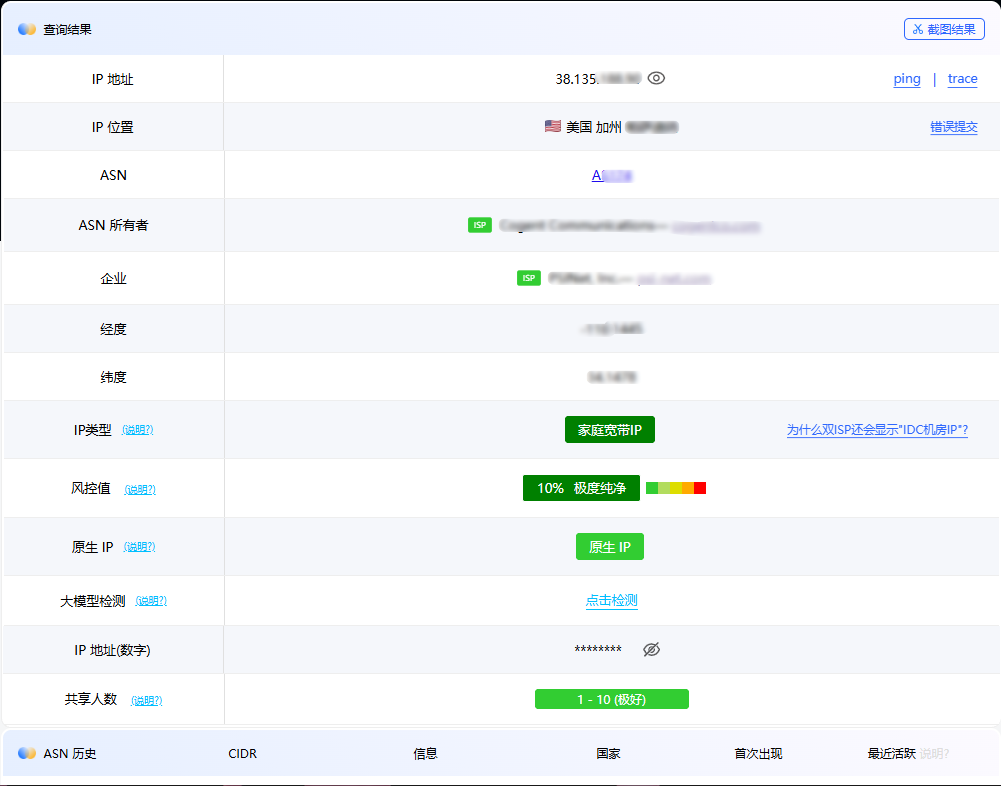
💡 safe usage recommendations
- Regularly check IP status in the Safari browser to ensure stable chained proxy connections.
- Before each use, confirm that the relay node bound to ” through “ proxy is functioning normally.
- Strictly comply with the target platform's community guidelines, and avoid frequent cross-region logins or violations.