 WDCH
WDCH
V2RayN Front Proxy Configuration Tutorial
Introduction
A front proxy helps you use SOCKS5 in scenarios where direct access is blocked.
- Custom exit IP
- Hide real entry node
- Support multi-region route combinations
- Improve compatibility with special network environments
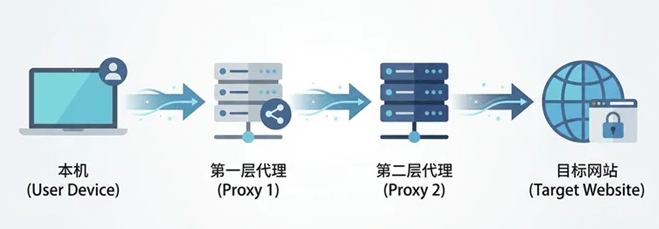
1. How Proxy Works
Normal proxy access flow:
↓
Proxy node A
↓
Target website
Chained proxy access flow:
↓
Front proxy A
↓
Exit proxy B
↓
Target website
2. Preparation
Front Proxy Node
- Reality
- VLESS
- Trojan
- VMess
- Hysteria2
Usually an airport / node provider.
Exit Static Proxy Node
- Residential IP
- Home broadband IP
- Fixed exit IP
Determines the final public exit address.
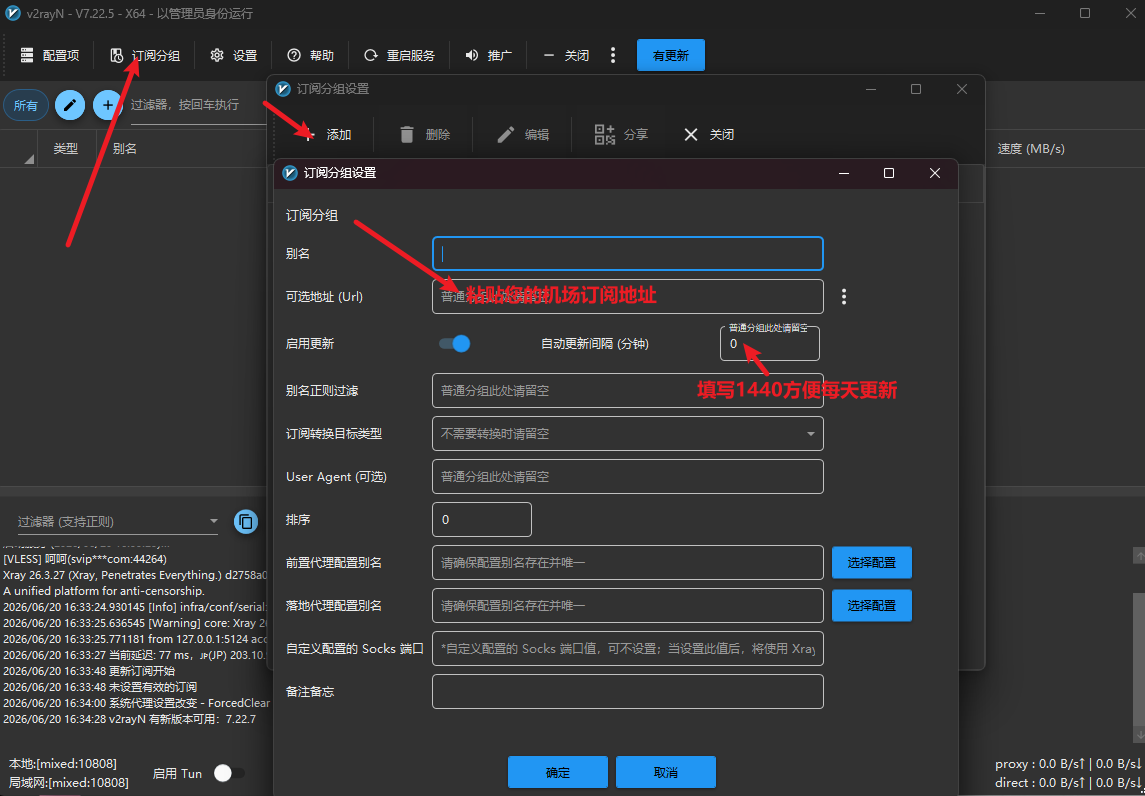
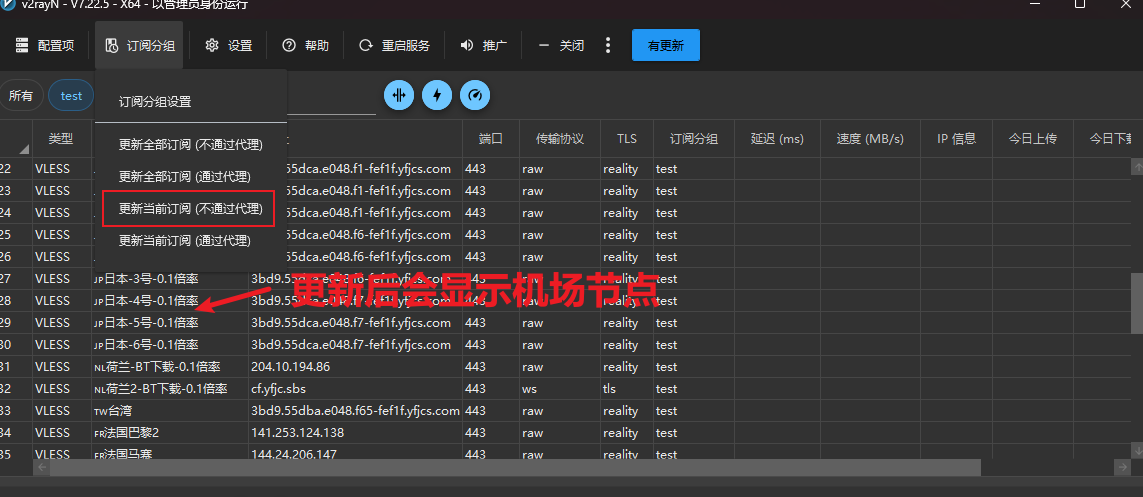
3. Import Front Proxy Nodes
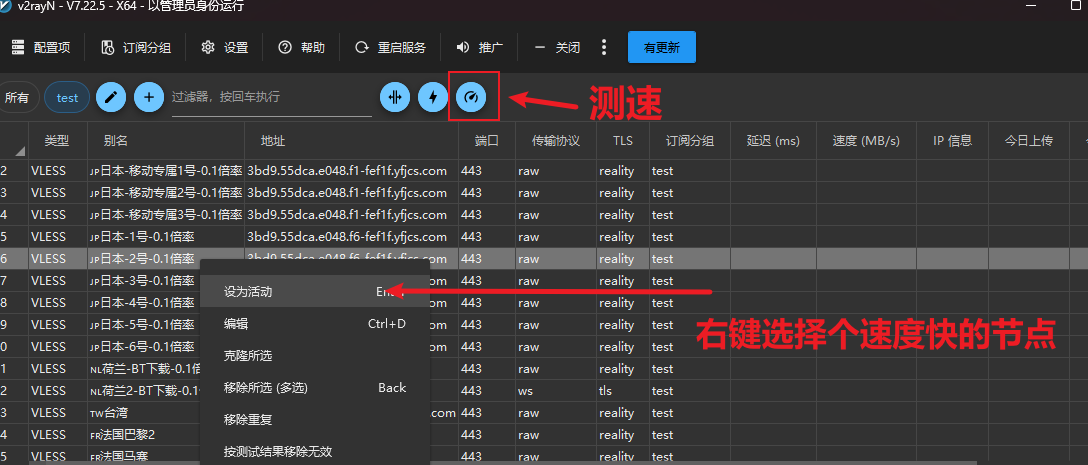
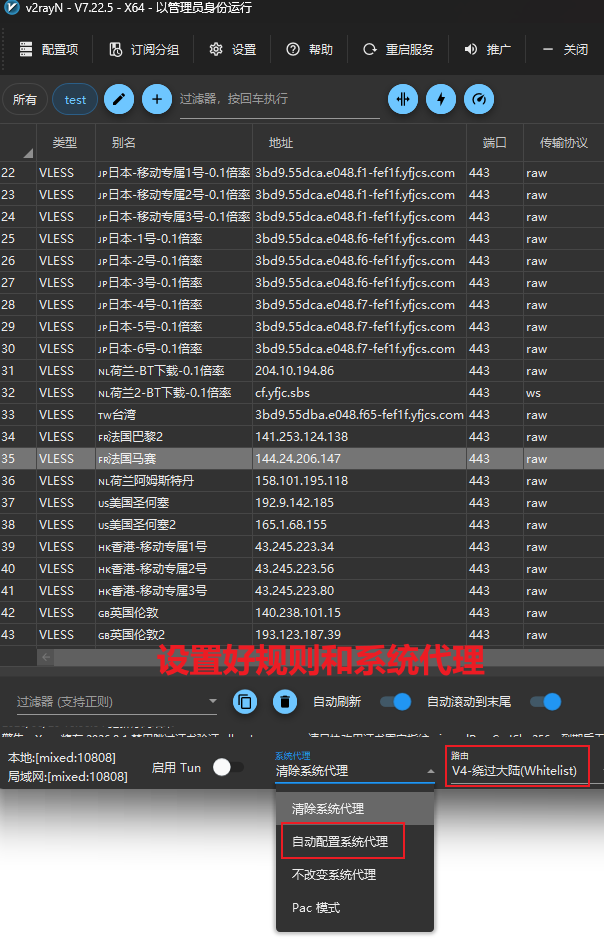
4. Configure Front Proxy
Step 1: Create a new group
Step 2: Select front proxy
Step 3: Select static node
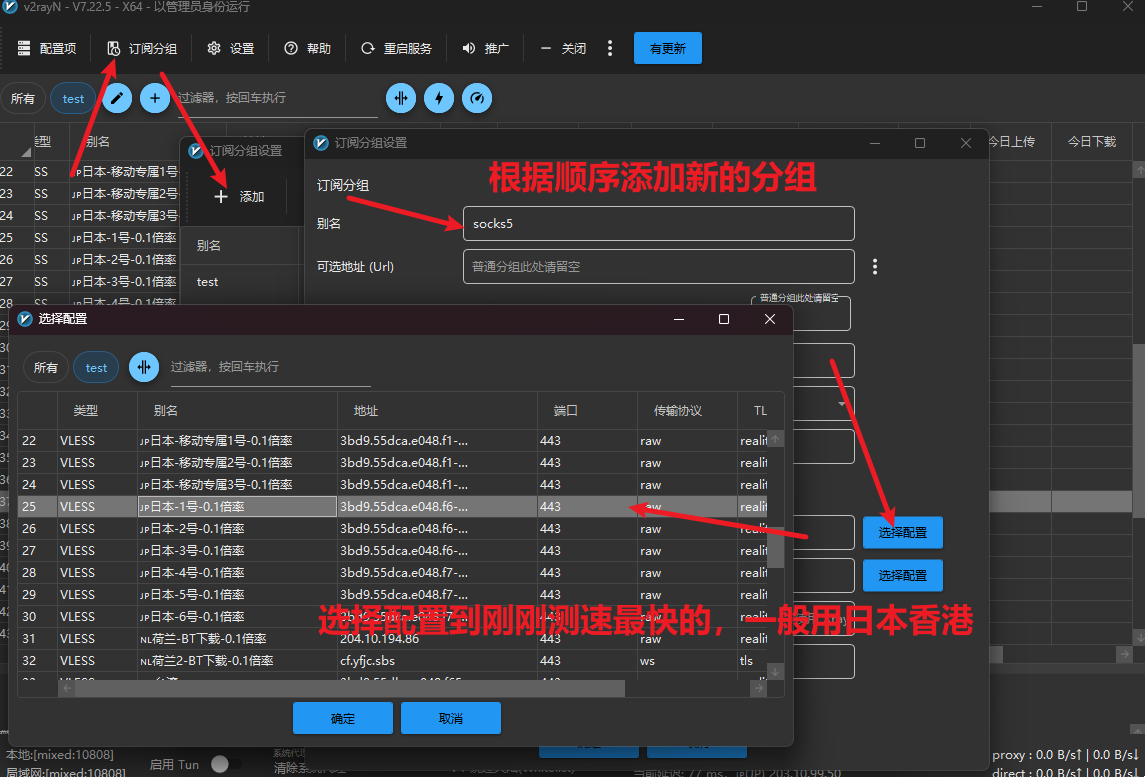
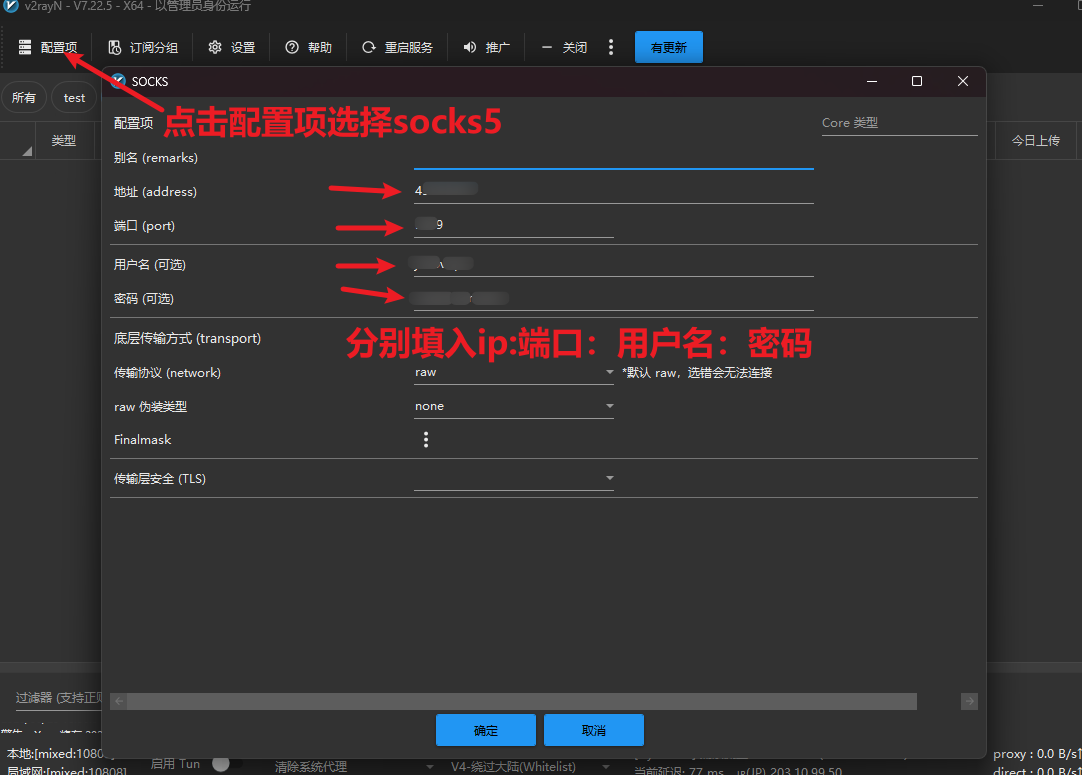
5. Verify Configuration
- Currently imported static public IP
- Country / Region
- ISP information
- ASN information
If the exit node IP is shown, the chained proxy is configured successfully.
6. FAQ
Why is the speed slower?
Data is forwarded through multiple nodes, which increases latency and handshake time. This is normal.
How many layers can be configured?
We recommend keeping it within two layers for a balance of speed and stability.
Why does it show the first-layer IP?
Check whether the front proxy name is correctly filled in and whether the exit node is enabled.
Summary
The first layer handles connection, the second layer handles exit.
When the detected public IP is the exit node IP, the chained proxy configuration is successful.