 WDCH
WDCH
Facebook Cookie-Editor Plugin Login Tutorial
Google Chrome uses the Cookie-Editor extension for password-free one-click login
📦 1. Delivered Card Credentials Format Breakdown
Standard card credential data uses four consecutive hyphens ---- as the delimiter:
📌 Actual Delivered Data Example (redacted):
📌 Core 4-Step Login Flow
Use the desktop version of Google Chrome for this operation. If it is not installed, you can download it from the official website first:
Download link: https://www.google.cn/chrome/
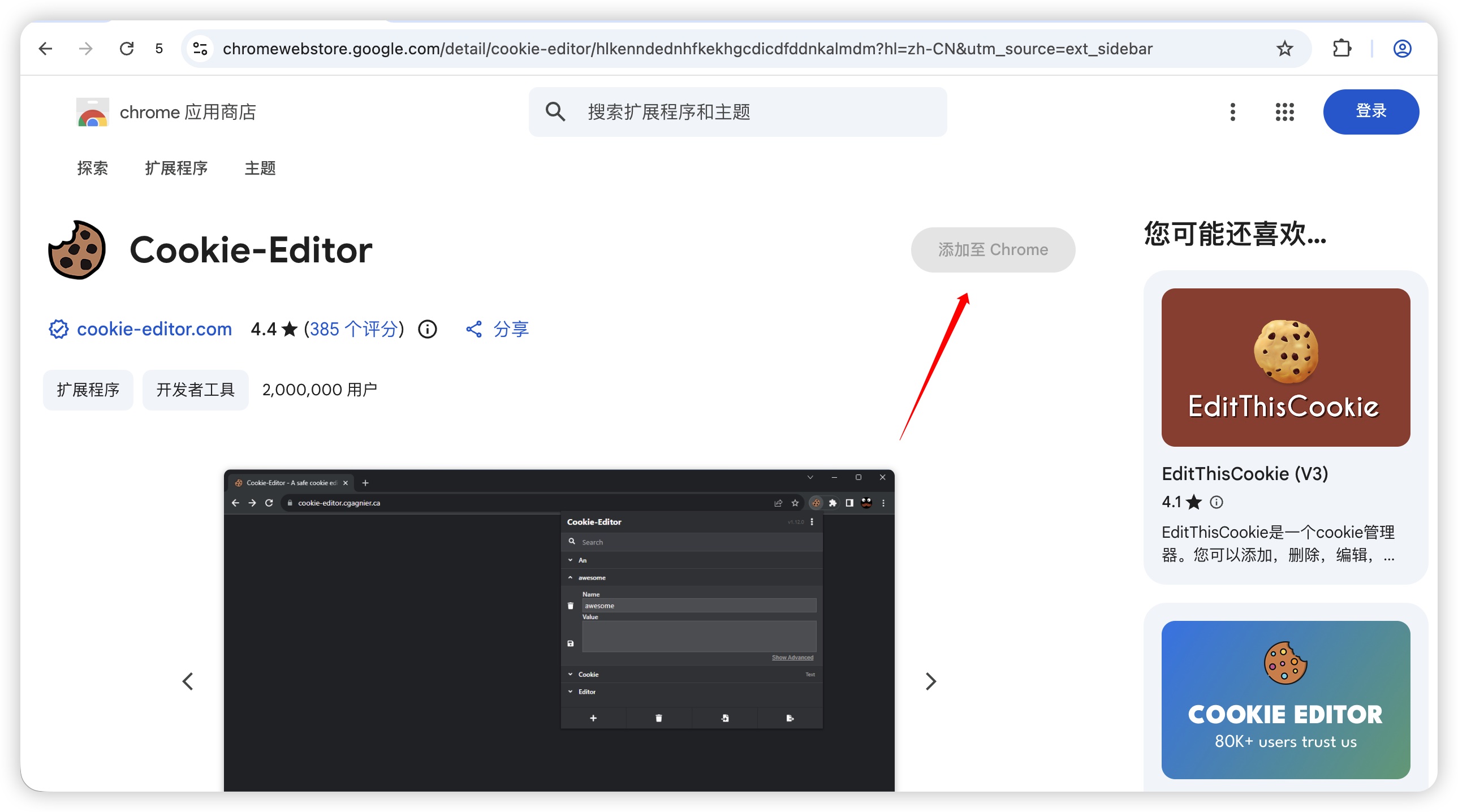
Click the link below to go to the Google Chrome Web Store, click “ to add to Chrome” install Cookie-Editor (you can also use Get Token Cookie extension):
Extension direct link: Go to Chrome Store to install Cookie-Editor
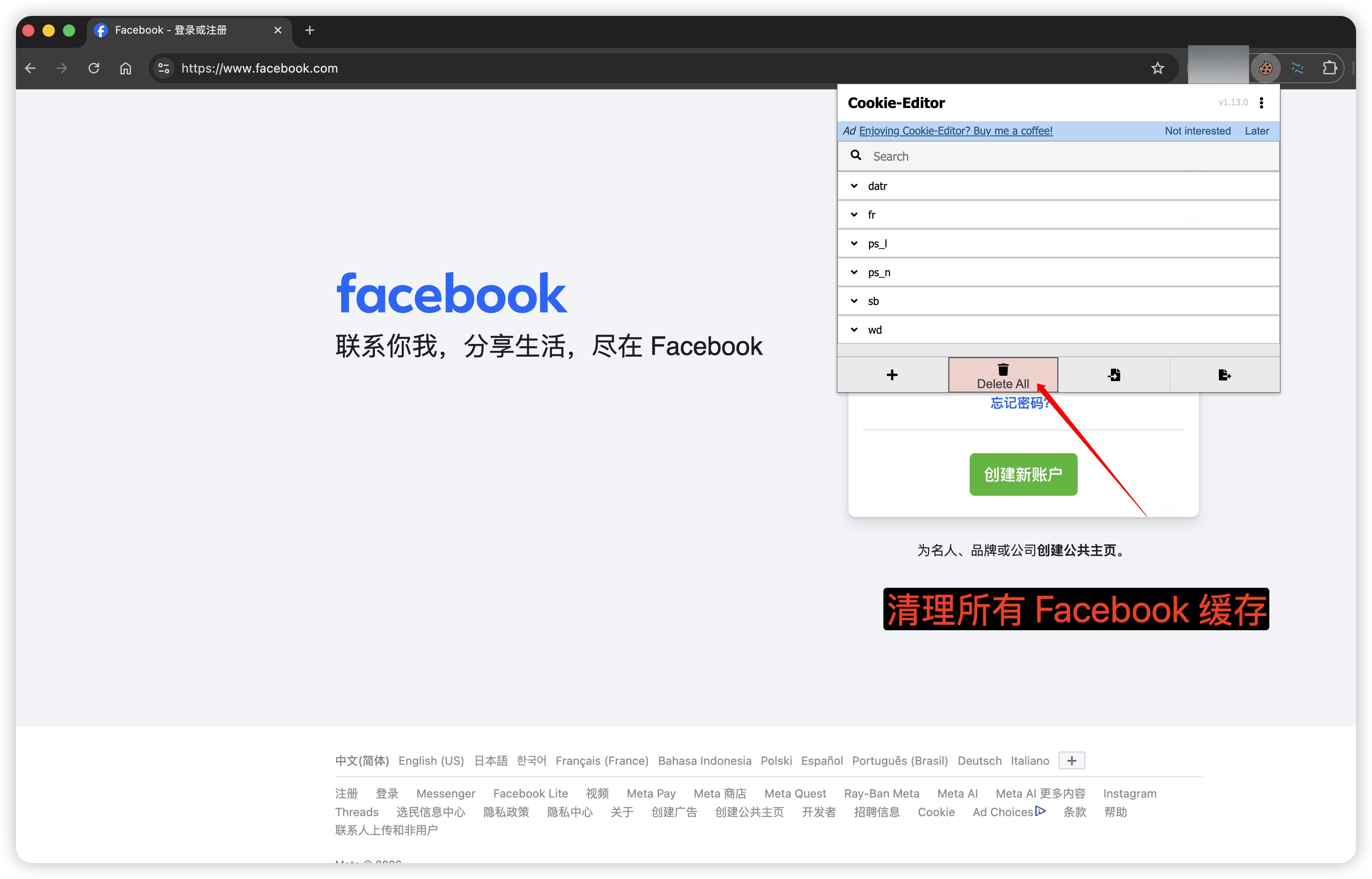
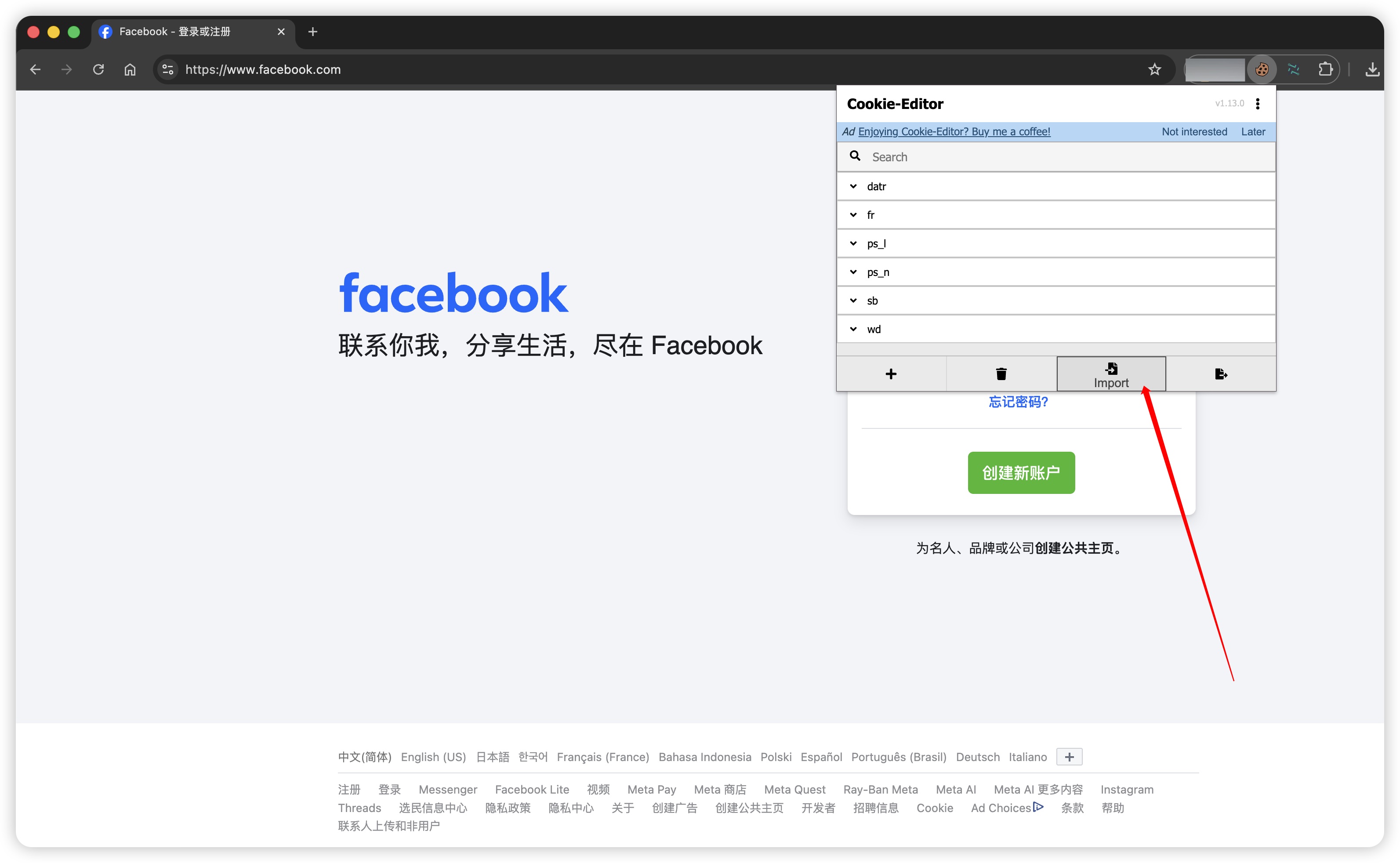
Open https://www.facebook.com Click the Cookie-Editor extension in the upper-right corner of the browser, then click the Delete All (Clear All) icon to clean up all historical data on the current page.
💡 Supplementary knowledge: the difference between Cookie and Token
- Cookie: User login session credentials stored locally in the browser (including
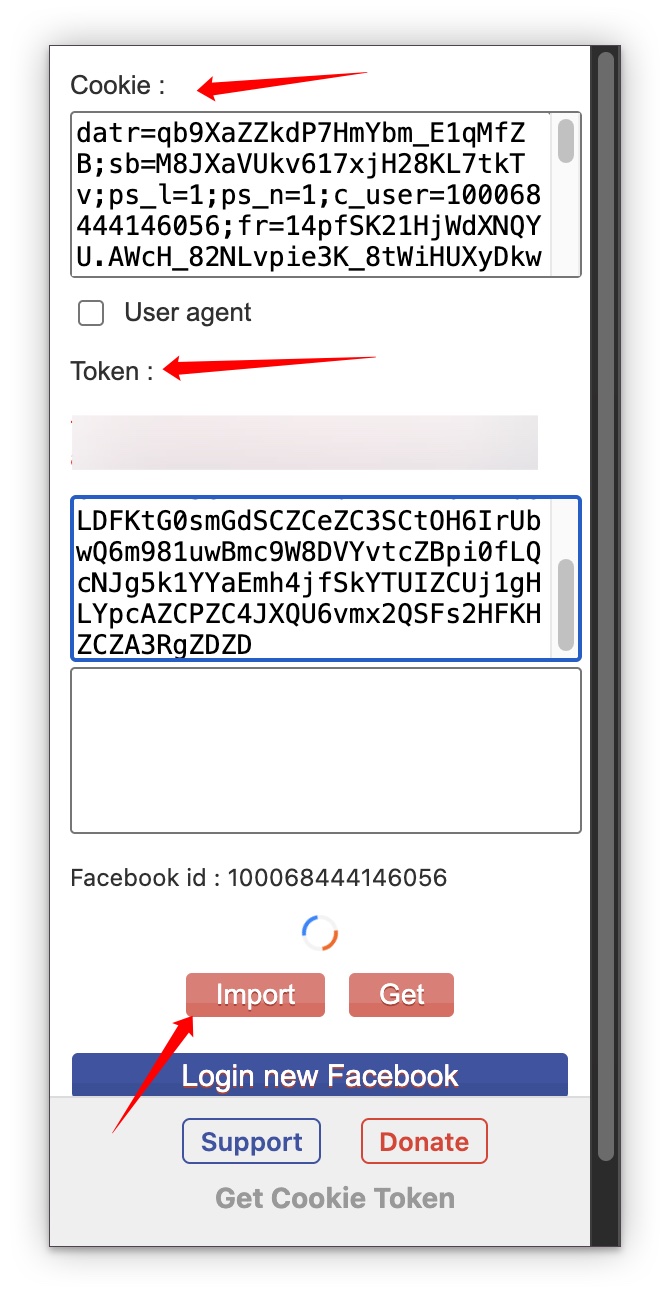
c_user、xs、frand other core fields), used to maintain web login state. - Token (Access Token): Exclusive authorization key for the Facebook API interface (usually starting with
EAABorEAAA), used for API API calls or third-party marketing tool authorization. - Combined effect: Importing both Cookie and Token together maximizes bypass of two-factor authentication, improving account login success rate and operational stability.
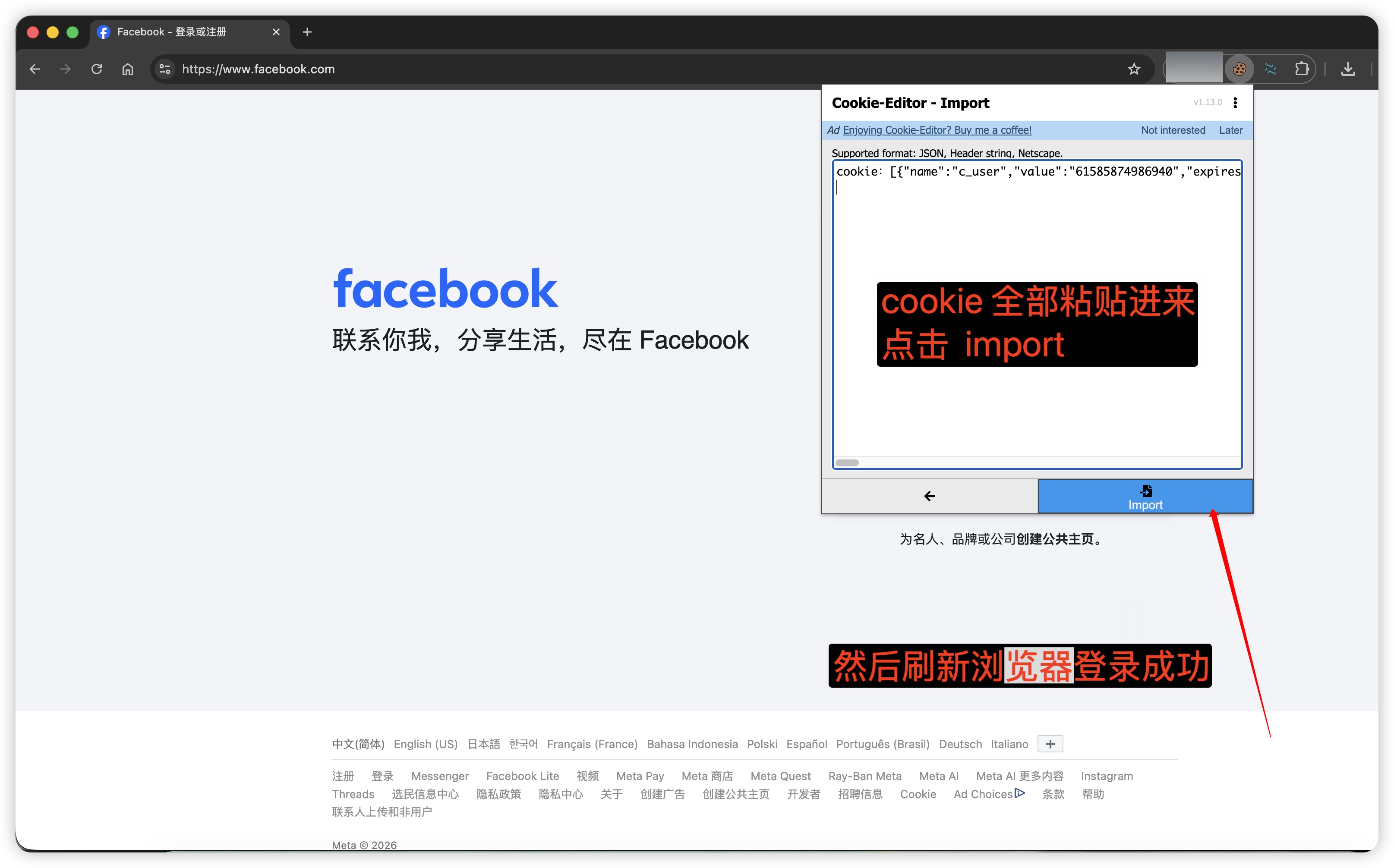
Click in the Cookie-Editor plugin interface Import (Import) icon, paste all the card credentials contained in the delivery [{...}] Cookie codes, click Confirm to import, then F5 refresh the page to successfully log in without a password!