 WDCH
WDCH
TikTok Common Login Issues and Solutions FAQ
Network Environment, Login Restrictions, Email Verification Codes, and Risk-Control Avoidance Summary
❓ I. Prompt: “ Please try again or use a different method to log in ”
This prompt is usually caused by abnormal proxy/VPN node configuration or network not being connected.
1. Use your mobile browser to open
youtube.com and check whether the node is connected to the internet normally.2. If it cannot be opened, please promptly switch to an available overseas native clean node。
3. If it can connect normally, please check whether TikTok App has been granted network access in your phone settings.
4. Special Attention: If your phone has a mainland China SIM card inserted, it is highly likely to cause the system to detect regional restrictions and fail to connect. It is recommended to remove the card or turn off the mainland card's cellular network.
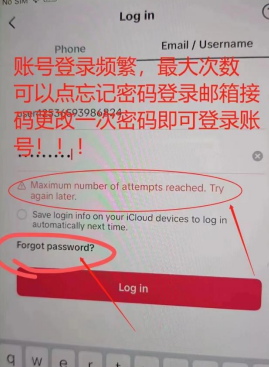
❓ II. Login Prompt: “ Maximum attempts reached ” or “ Login too frequent ”
This prompt is mainly caused by device environment risk control or node IP being shared by multiple users; please try the following in order:
- Method 1 [Most Critical]: Switch to a cleaner, dedicated network node.
- Method 2: Use email address + TikTok password to log in (not email password).
- Method 3: Uninstall the TikTok software, then reinstall and log in.
- Method 4: Change your phone's region and time zone to match the node IP exactly.
- Method 5: Leave the device idle for several hours before trying again, or use “ Forgot Password ” to reset with a new password and log in.
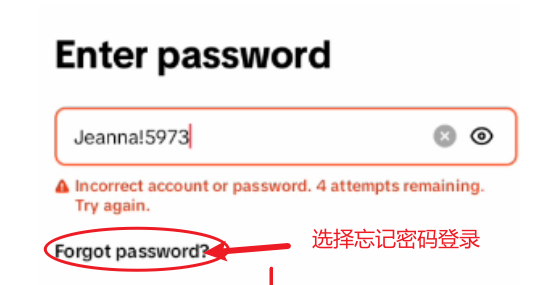
❓ III. Login Prompt: “ Incorrect Password ”
The delivered password is long and contains characters such as I / l / 1 / 0 / O that are easily confused; manual entry is highly prone to errors:
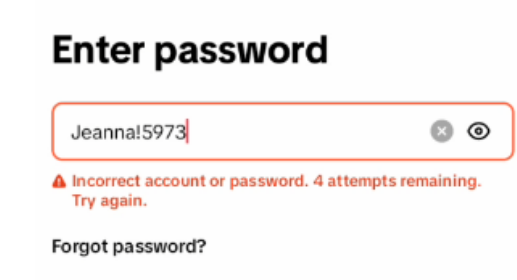
- Recommended approach: Copy the card credentials and send them to your phone, then directly copy and paste to log in to avoid typing manually.
- Other methods: Use a case conversion tool to verify, or click “ Forgot Password ” to reset with a new password via email.
❓ IV. Not Receiving Verification Code at Email During Login
- Network environment risk control: Please check your network disguise level and ensure the node is native and clean.
- Web client recommendation: When logging in via web, be sure to use a fingerprint browser; regular browsers easily trigger interception.
- Change login entry point: If the mobile client cannot receive the verification code, switch directly to email + TikTok password Log in using this method.
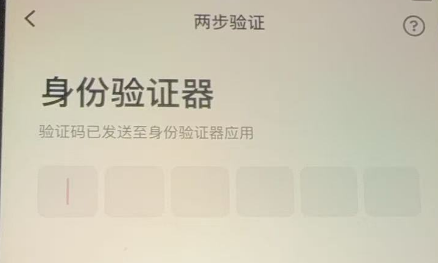
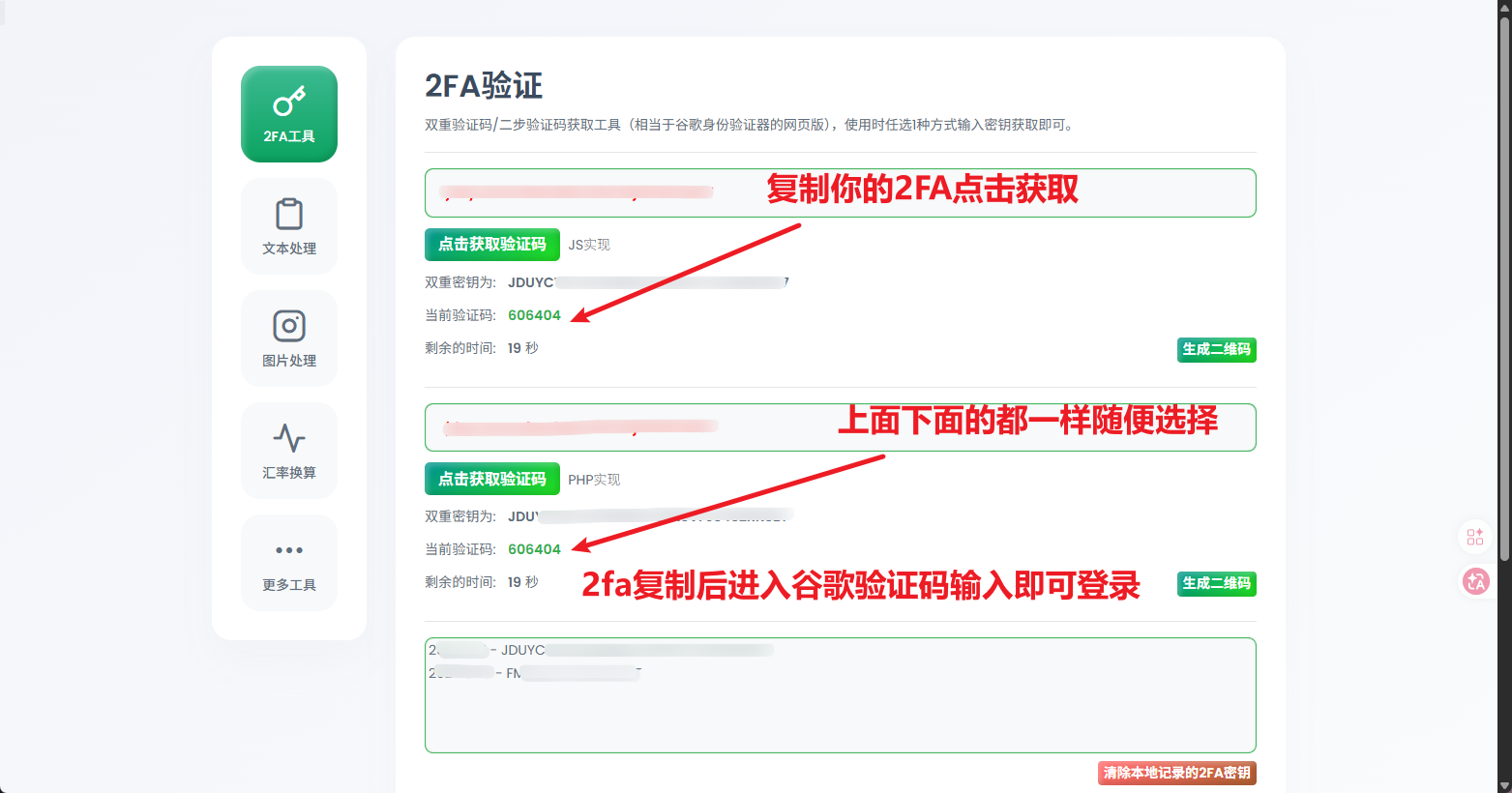
❓ V. Login prompt: “ requires filling in the authenticator (2FA) ”
Please check whether the card credentials contain 2FA secret key. Copy the secret key to an online tool (such as my2fa.vip) to obtain a 6-digit dynamic verification code.
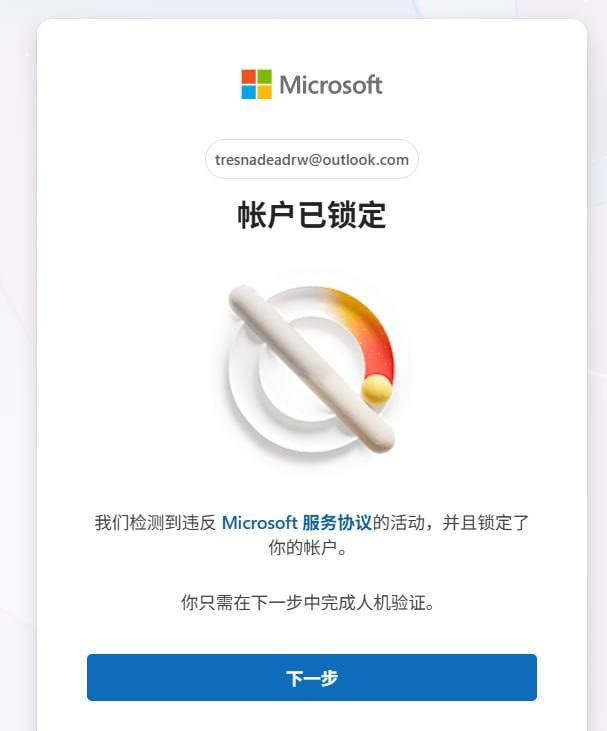
❓ VI. Outlook / Hotmail Email prompt “ Account locked ”
When logging into the Outlook/Hotmail recovery email, if a lock prompt appears, follow the on-page instructions and click “ Next ”, then use a clean IP and any available phone number to receive an SMS and unlock it (this is an official Microsoft risk control measure and does not affect TikTok account usage; it is not covered by after-sales support).
❓ VII. Posting Content with the Account “0 Views ”
Core Factor Troubleshooting:
1. Editing for Deduplication: Insufficient deduplication led the algorithm to flag it as duplicate/reposted content.
2. Content Compliance: Contains prohibited words, non-compliant visuals, or background music copyright infringement.
3. Network environment: IP Low node camouflage or the node has been flagged/contaminated by the platform.
❓ 8. Account Links profile section lacks the “ add website link ” option
Please first update TikTok to the latest version; some regions (e.g., US region) require switching the account to a Business account (Business Account) or completing business verification before external links are supported.
❓ 9. Live stream forcibly ended
Usually caused by copyright infringement or community rule violations involving the profile picture, bio, background music, streamer behavior, or live stream visuals.
❓ X. Account Unable to Follow or Send Private Messages
Logging in on a new device will trigger the platform's initial risk control protection. It is recommended Normally maintain the account for 3 days or more(Increase your weight by browsing more videos and liking/interacting) before trying to follow or send private messages. (Private messaging is under strict risk control; following and private messaging are not guaranteed and not covered by after-sales service).
❓ 11. How to Change the Bound Email and Password for Your Account?
Go to TikTok profile page ➔, click the menu in the upper-right corner ➔ Settings and Privacy (Settings and Privacy) ➔ Account (Account) ➔ Click User Security / Email / Password Follow the prompts to get a verification code and make changes.