 WDCH
WDCH
👤 I. Steps to edit Facebook profile information
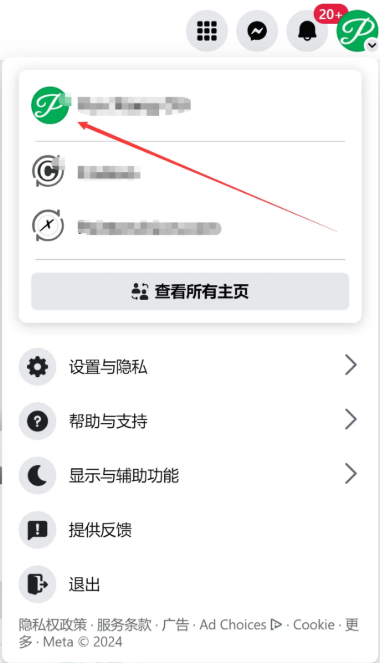
First, log in to your Facebook account and click the [Profile Picture]。

In the dropdown menu that appears, click your [Account Name] to enter your personal profile space.
On the right side of your profile, find and click the [Edit Profile] button.
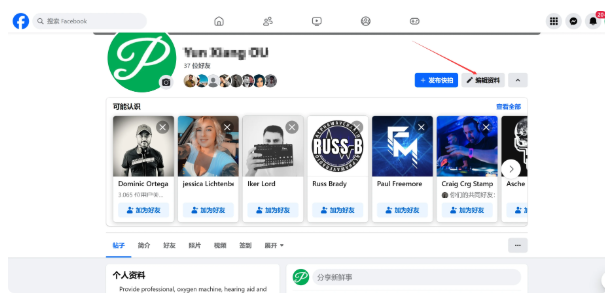
In this pop-up page, you can freely change your profile picture and cover photo or create an avatar. Scroll down to also customize your bio, current city, website link, and upload featured photos.

🔒 II. How to bind a commonly used email and phone number
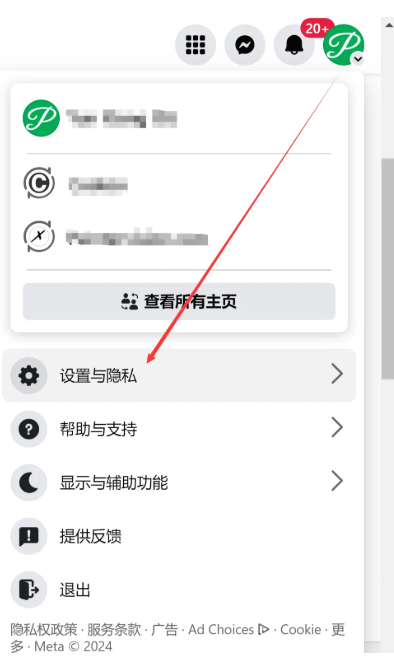
1. Log in to your account and click the [Profile Picture]。

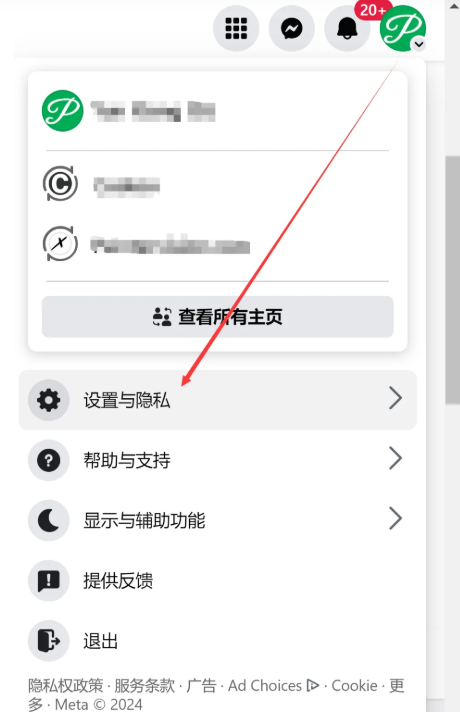
2. In the menu that appears, select [Settings and Privacy]。
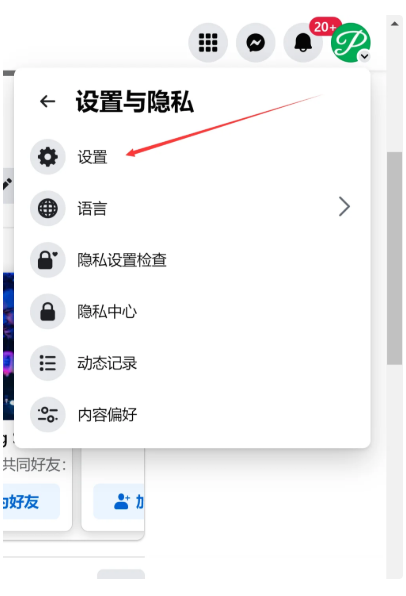
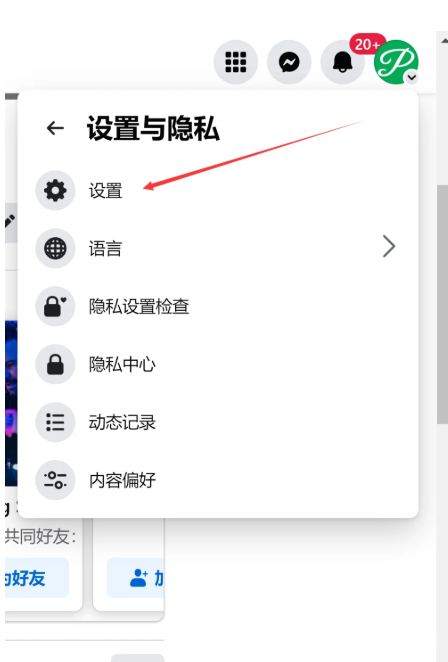
3. Then click in the secondary menu [Settings]。
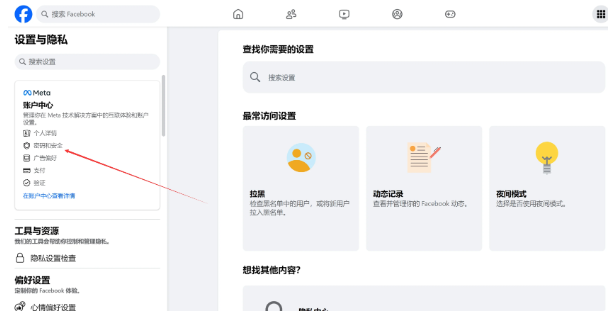
4. Enter the Meta Account Center sidebar, and click to enter [Personal Details] center.
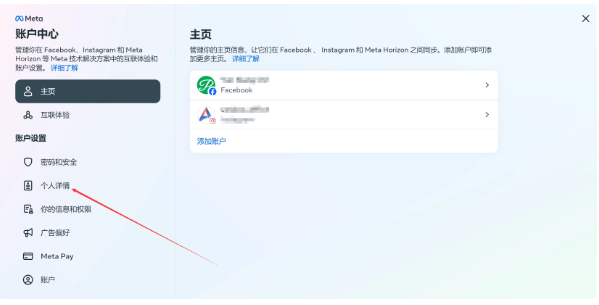
5. Find and select in the Basic Information section [Contact Information]。
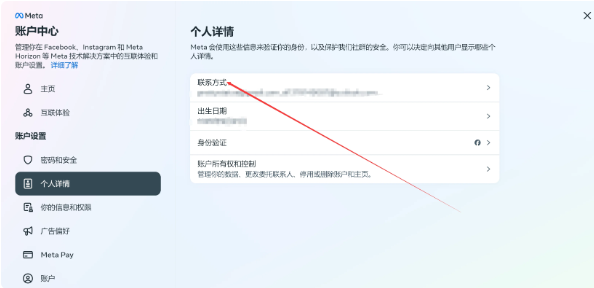
6. Click the blue action text below [Add Contact Information]。
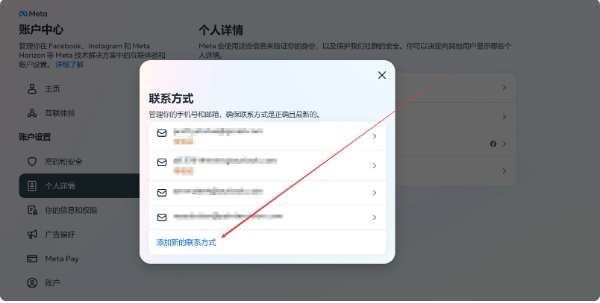
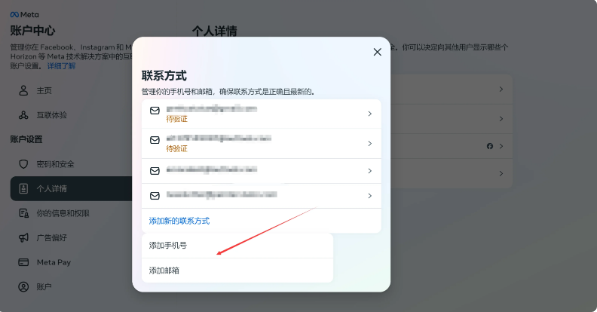
7. At this point you can choose as needed [Add Phone Number] or [Add Email Address](It is recommended to bind both for the best anti-ban and account stability results).
🛡 3. Facebook How to Enable Two-Factor Authentication (2FA)
Enabling 2FA (Two-Factor Authentication) is like adding an extra security lock to your account. It not only greatly improves environmental durability, but also makes logging in with 2FA dynamic six-digit verification codes more secure and anti-risk-control.
1. Same path: click the upper right corner [Profile Picture] ➡ and select [Settings and Privacy] ➡ to enter [Settings]。

2. Switch to the Security Center in the sidebar, and click [Password and Security] option.
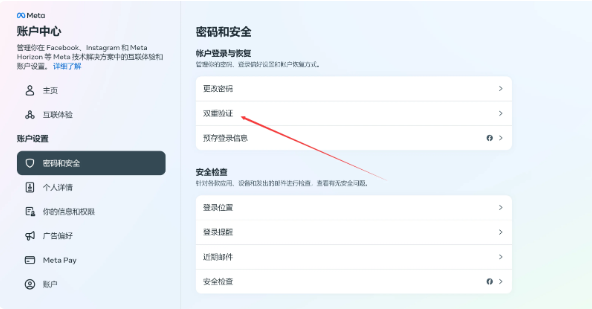
3. In the password security settings, tap [Two-Factor Authentication] to enter.
4. In the verification mode, select your preferred option: [Authenticator App](Recommended).
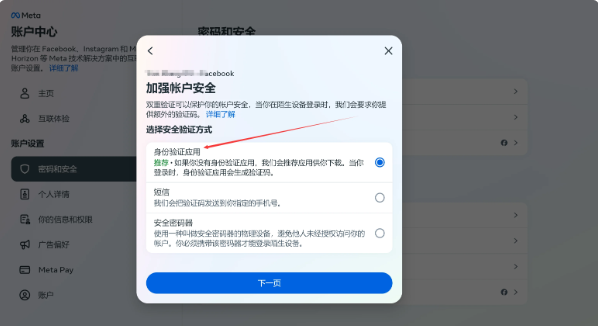
5. Extract and generate the verification code:
After the system generates the 2FA secret key (key string), copy it down; you can paste it into the Google Authenticator browser extension on your computer, or directly open a static decoding website in your browser 2fa.live and paste it to extract the 6-digit real-time dynamic login verification code.
⚠️ Note: 2FA dynamic verification codes are time-synchronized, so they are only valid for 30 seconds. If the countdown expires, please click to regenerate on the webpage.